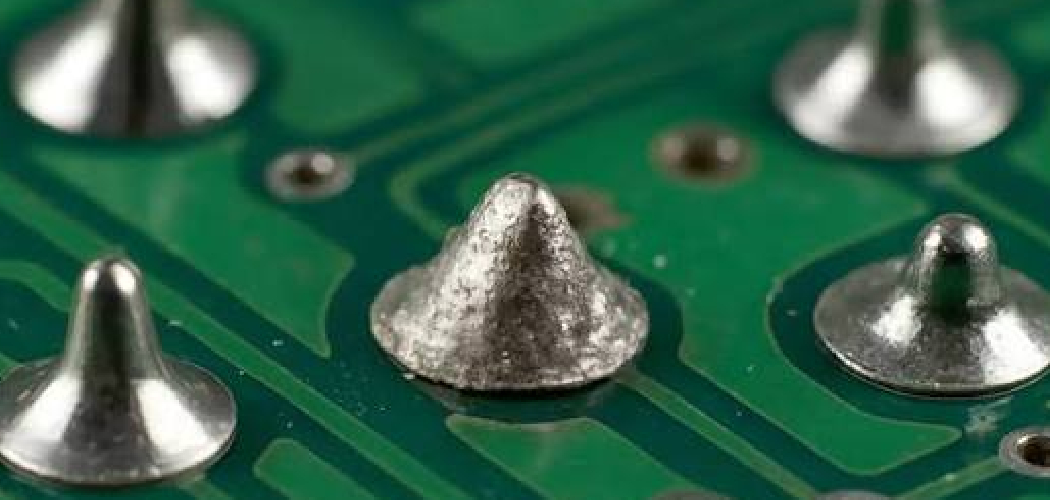
Corroded solder joints are one of the most common headaches for anyone working with electronics. Over time, exposure to moisture, oxygen, flux residue, and even handling oils can cause that once-shiny silver connection to turn dull, gray, or crusty.
Lead-based solder, while easy to work with and reliable for decades of repairs, is especially prone to oxidation and corrosion when left unprotected. A corroded joint increases electrical resistance, weakens the mechanical bond, and can eventually lead to a complete failure of the component or board.
This guide on how to clean corroded lead solder joints walks you through everything you need to know, from the benefits and required tools to a clear 10-step process, mistakes to avoid, and answers to common questions.
What Are the Benefits?
Cleaning corroded lead solder joints isn’t just about making your project look tidy. There are real, practical advantages that make the effort worthwhile.
- Restored electrical conductivity. Corrosion adds resistance to a joint, which interferes with the flow of current. Clean joints conduct electricity efficiently, so your device performs as it should.
- Improved reliability. A clean, solid joint is far less likely to fail unexpectedly. You’ll spend less time troubleshooting flaky connections and more time enjoying working equipment.
- Stronger mechanical bonds. Corrosion weakens the physical connection between components and the board. Cleaning and re-soldering creates a firm, durable bond that can handle vibration and movement.
- Extended lifespan of your electronics. Regular maintenance prevents small problems from snowballing into expensive failures. Cleaning corroded joints helps your gear last years longer.
- Easier future repairs. Clean joints are simpler to inspect, test, and modify. When you need to make changes down the road, you won’t be fighting through layers of grime and oxidation.
- Better resale or restoration value. For collectors and hobbyists, well-maintained internal connections can boost the value of vintage equipment.
- Cost savings. Repairing what you already own is almost always cheaper than buying a replacement. A few cents of supplies can save you hundreds.
In short, taking the time to clean corroded solder joints pays off in performance, durability, and peace of mind.
What Will You Need?
Before you begin, gather your tools and materials. Having everything within reach makes the job smoother and safer.
Tools:
- Soldering iron (25–40 watts is ideal for most work)
- Desoldering pump (solder sucker) or desoldering braid (solder wick)
- Small wire brush or brass brush
- Fine-grit sandpaper (400–600 grit) or a fiberglass scratch pen
- Dental pick or small flathead screwdriver
- Tweezers
- Magnifying glass or magnifying lamp
- Multimeter (for testing continuity)
Materials and Supplies:
- Isopropyl alcohol (90% or higher)
- Flux (rosin or no-clean flux)
- Fresh lead solder (60/40 rosin-core is common)
- Cotton swabs and lint-free cloths
- Small container for cleaning solution
- White vinegar or a specialized corrosion remover (for heavy corrosion)
Safety Gear:
- Safety glasses
- Heat-resistant work mat
- Disposable gloves
- A well-ventilated workspace or a fume extractor
With these items ready, you’re set to tackle even stubbornly corroded joints.
10 Easy Steps on How to Clean Corroded Lead Solder Joints
Step 1: Set Up a Safe Workspace
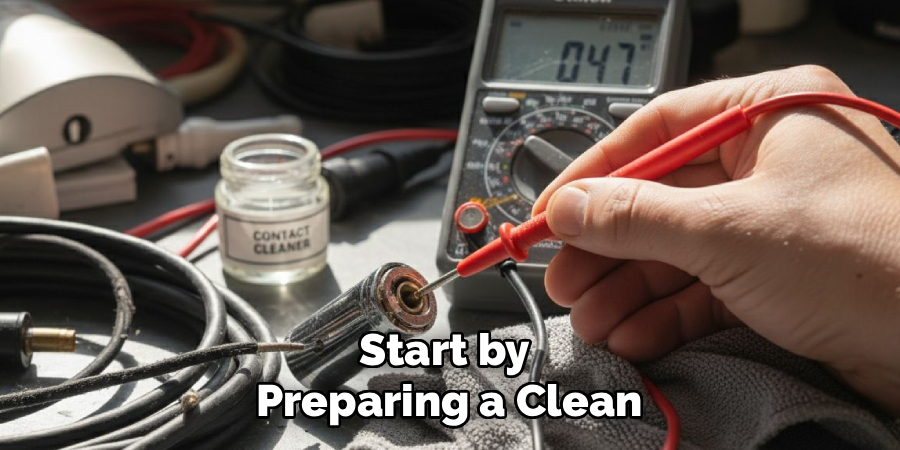
Start by preparing a clean, well-ventilated area. Lead solder produces fumes when heated, and the corrosion you’ll be removing can contain harmful residues. Open a window, switch on a fan or fume extractor, and lay down a heat-resistant mat to protect your surface. Put on your safety glasses and gloves before touching anything. Keep your tools organized and within easy reach so you aren’t fumbling mid-task. A tidy setup reduces accidents and makes the whole process far more comfortable. Take a moment to make sure your soldering iron has a safe place to rest while it heats up.
Step 2: Inspect the Corroded Joints
Use a magnifying glass or lamp to examine the joints closely. Look for telltale signs of corrosion: a dull gray surface, white or green powdery deposits, pitting, or a crusty texture. Identify exactly which joints need attention and note their condition. Light surface oxidation may only need a quick cleaning, while heavily corroded joints might require full desoldering and re-soldering. Take a photo with your phone before you start. This gives you a reference for component placement and orientation, which is invaluable when you reassemble everything later.
Step 3: Power Down and Discharge
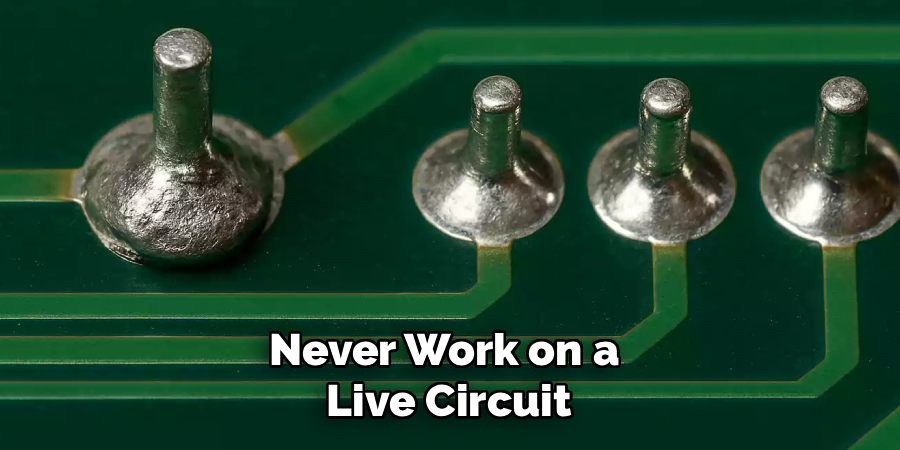
Never work on a live circuit. Unplug the device completely and remove any batteries. For equipment with capacitors, such as power supplies or amplifiers, those components can hold a dangerous charge even when unplugged. Discharge large capacitors safely using a resistor or follow the manufacturer’s guidance. This step protects both you and the delicate components on the board. Skipping it risks electric shock and can fry sensitive parts. Always confirm there’s no stored power before you bring any metal tool near the circuit.
Step 4: Apply Cleaning Solution
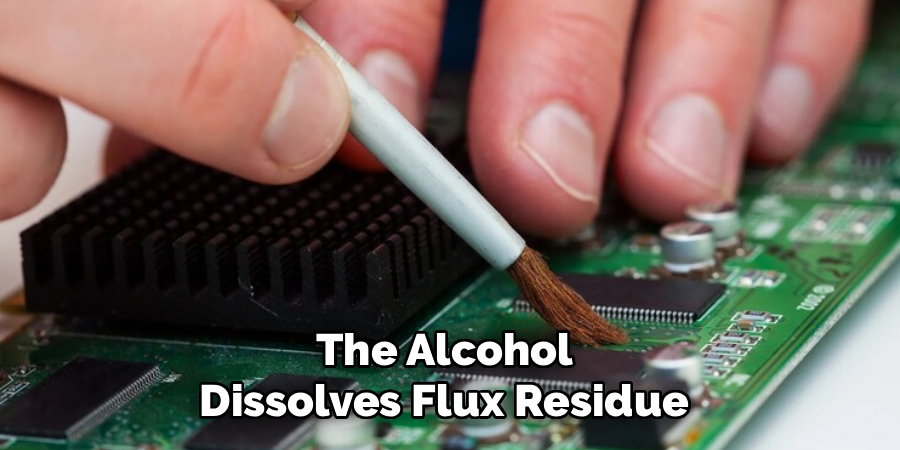
For light corrosion, dip a cotton swab in isopropyl alcohol and gently scrub the affected joint. The alcohol dissolves flux residue and grime without damaging components. For heavier corrosion, a small amount of white vinegar or a dedicated corrosion remover works well to break down oxidation. Apply it carefully with a swab, targeting only the corroded joint. Let it sit for a minute or two to loosen the buildup. Avoid drenching the board, since excess liquid can seep under components and cause problems.
Step 5: Mechanically Remove Corrosion
After the solution has loosened the corrosion, use a small wire brush, brass brush, or fiberglass scratch pen to physically scrub away the deposits. Work gently with small, controlled motions. For tight spots, a dental pick helps scrape off stubborn crust. Your goal is to expose fresh, shiny metal underneath the corrosion. Be patient and avoid pressing too hard, as aggressive scrubbing can lift traces or damage the surrounding board. Wipe away loosened debris with a clean swab as you go.
Step 6: Desolder Heavily Corroded Joints
If a joint is too far gone to clean in place, remove the old solder entirely. Heat the joint with your soldering iron until the solder melts, then use a desoldering pump or solder wick to suck it away. Repeat until the joint is clear of old, corroded solder. This gives you a fresh start. Removing the contaminated solder ensures the new connection will be clean and reliable rather than trapping corrosion underneath a new layer.
Step 7: Clean the Exposed Pads and Leads
Once the old solder is removed or the surface corrosion is scrubbed off, clean the exposed metal again with isopropyl alcohol. Use a cotton swab to wipe away any remaining residue, debris, or cleaning solution. Inspect the area under magnification to confirm the metal is bright and clean. Any leftover corrosion will compromise your new joint, so take your time here. Let the area dry completely before moving on. Moisture trapped under a new solder joint can lead to fresh corrosion.
Step 8: Apply Fresh Flux
Flux is essential for a strong, clean solder joint. Apply a small amount of rosin or no-clean flux to the cleaned joint or pad. Flux removes any remaining oxidation during heating and helps the new solder flow smoothly and bond properly. Don’t overdo it, a thin layer is plenty. Good flux coverage makes the difference between a dull, weak joint and a bright, shiny, reliable one. This simple step dramatically improves your results.
Step 9: Re-solder the Joint
Heat your soldering iron to the right temperature and touch it to both the lead and the pad simultaneously. Feed a small amount of fresh lead solder into the joint, letting it flow evenly around the connection. Aim for a smooth, shiny, cone-shaped joint, not a blobby or dull one. Remove the solder first, then the iron, and hold the joint still for a second while it cools. A properly soldered joint should look clean and feel solid. Avoid moving the component while the solder solidifies.
Step 10: Clean Up and Test
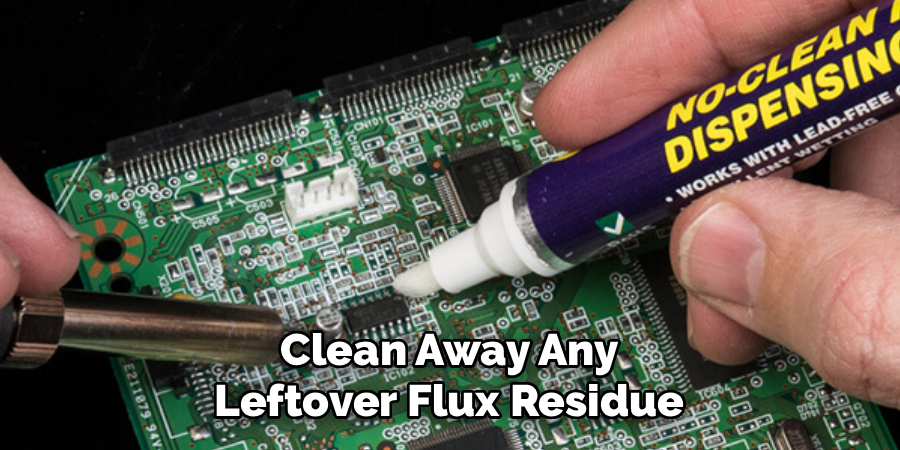
Once the joint cools, clean away any leftover flux residue with isopropyl alcohol and a swab. Then grab your multimeter and test the joint for continuity to confirm a solid electrical connection. Inspect everything one last time under magnification. If the joint looks shiny, bright, and well-formed, you’ve succeeded. Reassemble the device, restore power, and check that everything works as expected. Congratulations, you’ve revived your corroded connection.
5 Things You Should Avoid
- Working on a live or charged circuit. Always unplug and discharge before you start. Live circuits risk shock and can destroy components or your tools.
- Using too much heat. Overheating a joint can lift copper traces, melt nearby plastic, or damage heat-sensitive components. Use just enough heat to do the job and don’t linger.
- Skipping flux. Trying to solder without flux leads to weak, dull, cold joints that fail quickly. Flux is cheap and makes a huge difference, so never leave it out.
- Aggressive scrubbing or scraping. Pressing too hard with a brush or pick can lift solder pads and damage the board permanently. Gentle, patient cleaning protects your work.
- Leaving corrosion behind. Soldering over old corrosion traps the problem inside the joint, guaranteeing future failure. Always clean down to bright, fresh metal first.
Conclusion
How to clean corroded lead solder joints is a skill that pays off again and again. Whether you’re restoring a vintage amplifier, repairing a circuit board, or maintaining a favorite gadget, knowing how to remove corrosion and rebuild a solid connection keeps your electronics running smoothly for years.
The process comes down to a few key principles: work safely, clean thoroughly, use plenty of flux, and apply just the right amount of heat. By following the 10 steps in this guide, avoiding the common pitfalls, and taking your time, you’ll achieve clean, reliable joints that perform like new.
Grab your tools, set up your workspace, and bring those tired connections back to life. Your electronics and your wallet will thank you.

About
Stuart Rich is a distinguished figure in the world of metalworking and fabrication, with a decade of expertise creating innovative and sustainable metal projects. His professional focus lies in merging traditional blacksmithing and machining with modern manufacturing techniques, fostering designs that are both practical and durable. As the author of Metalenify, Stuart Rich delves into the art and science of metallurgy and DIY metal creation, inspiring artisans, hobbyists, and industry professionals alike.
Education
RMIT University
(Melbourne, Australia)
Associate Degree in Engineering Technology (Mechanical / Manufacturing)
Focus on metallurgical properties, industry-driven projects, and practical metal craftsmanship. Gained hands-on experience with traditional machining and digital manufacturing tools, such as CAD, CNC software, and precision welding equipment.
Nottingham Trent University
(United Kingdom)
Bachelor’s in Product Design and Materials Engineering (Honors)
Specialized in product design with a heavy focus on blending creativity with metal production and fabrication techniques. Participated in real-world industry projects, collaborating with architectural and hardware manufacturing companies to optimize material efficiency.
Publications and Impact
In Metalenify, Stuart Rich shares his insights on structural metal design processes, material grades, and strategies for efficient shop production. His writing bridges the gap between raw artisan knowledge and modern industrial needs, making it a must-read for both budding DIY metalworkers and seasoned fabrication professionals.